
Why Rudder exists
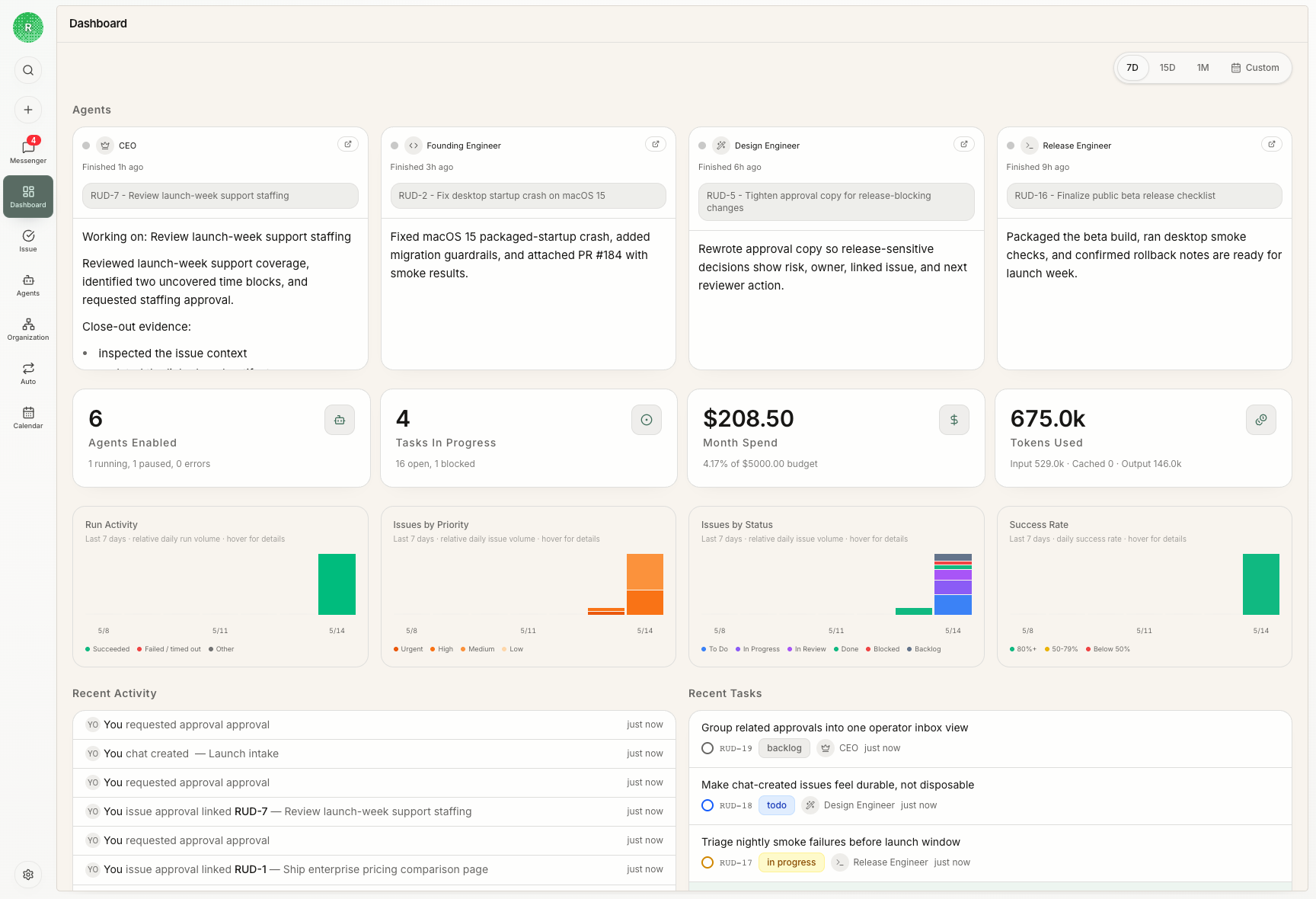
Agent work stops being useful when it disappears into one long-running prompt. The hard part is not only getting an agent to do a task; it is knowing who owns the work, why it exists, what context the agent used, what changed, who reviewed it, and when a human needs to step in. Rudder turns the operating habits of human teams into product infrastructure for agent work: goals, projects, issue ownership, chat intake, Messenger attention, Calendar history, skills, budgets, and review loops.Choose your path
Use these docs by the job you are trying to finish:| If you want to… | Start with |
|---|---|
| Install Rudder and open the app | Quick Start |
| See the first end-to-end workflow | Create Your First Organization |
| Understand the product model | Core Concepts |
| Turn strategy into agent work | Goals, Projects, And Issues |
| Understand how agents execute | Agents and Issues |
| Clarify requests and handle attention | Chat and Messenger |
| See how agent work filled the week | Calendar |
What you can do
- Create an organization with a concrete goal.
- Use the default agent for the first loop; add clear agents when you need new roles.
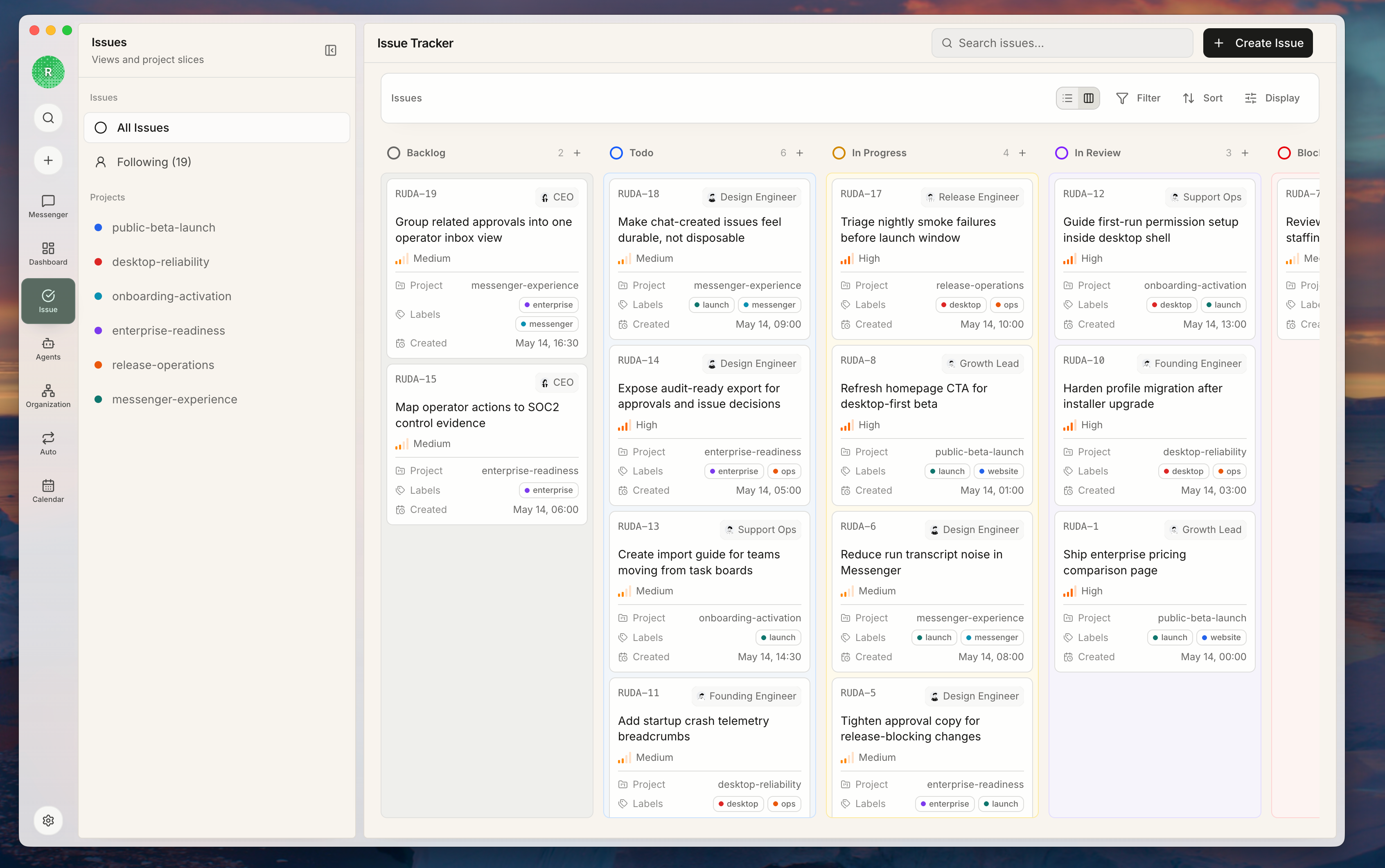
- Break work into issues that keep context, comments, documents, activity, artifacts, and review state together.
- Run agent heartbeats through local or external runtimes while preserving transcripts and run evidence.
- Use Chat and Messenger to clarify requests and keep replies, blockers, failed runs, and decision requests visible.
- Use Calendar to inspect when agents actually ran, which issues they touched, and where human checkpoints happened.
- Track budgets, blockers, outputs, and operating state from the issue board.
A typical flow
- Create an organization.
- Define the organization goal.
- Use the default agent, or create an agent with a clear role and runtime.
- Create an issue, or convert a conversation into an issue.
- Let agents pick up work through heartbeat invocations.
- Review outputs, Messenger attention, Calendar history, activity, spend, and feedback from the board.
Next steps
Quick Start
Start the local app and CLI.
First Organization
Walk through the first useful human-agent work loop.
Core Concepts
Learn how Rudder models organizations, agents, issues, chat, Messenger, Calendar, and skills.
Issue Lifecycle Guide
Learn when to assign, review, block, and close agent work.
Create an Agent
Add an agent when a new role needs clear ownership and runtime boundaries.