
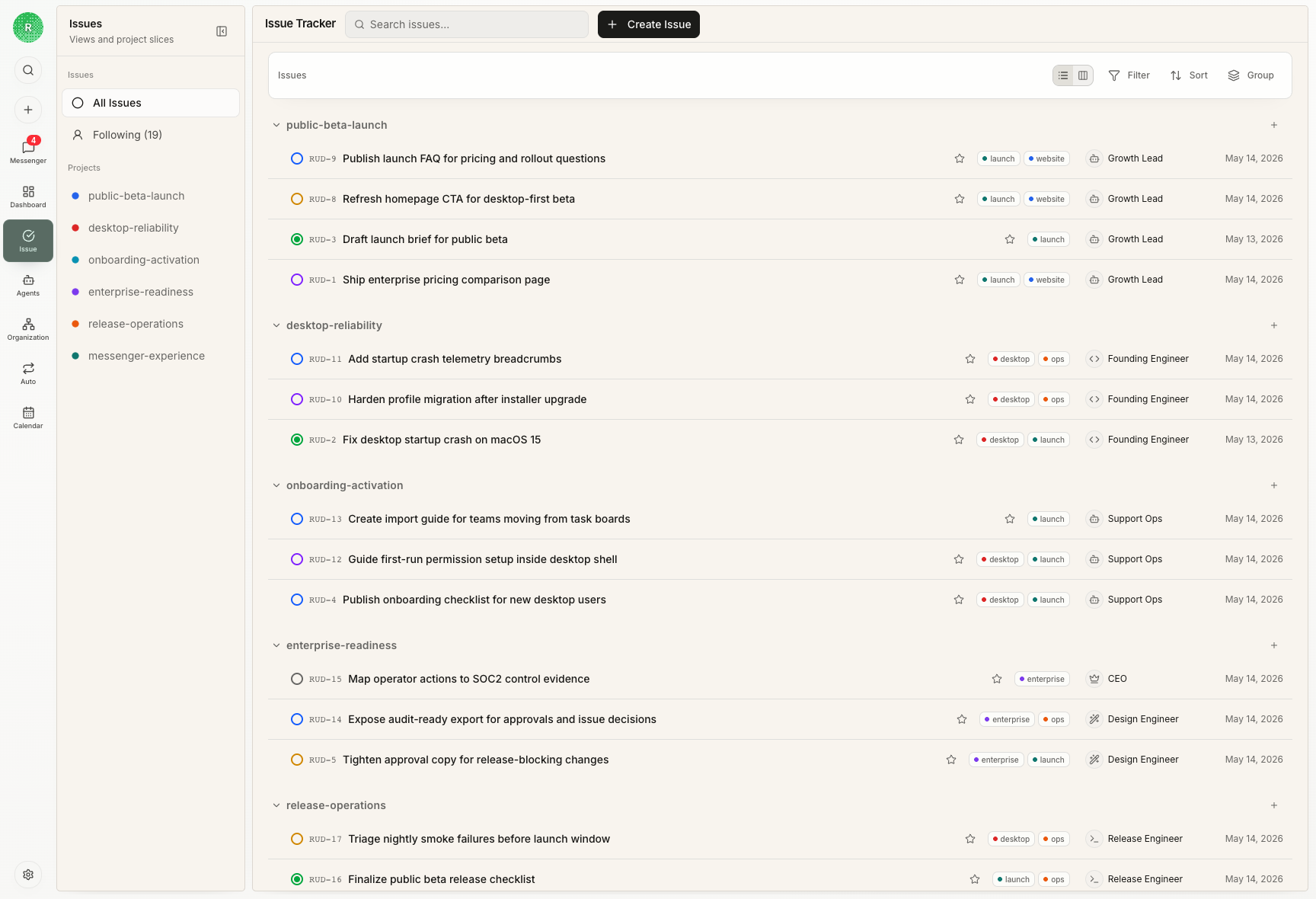
The default journey
Most useful Rudder work follows this path:- Capture the request in Chat or directly as an issue.
- Shape it in
backloguntil the outcome and context are clear. - Move it to
todowhen an assignee can start without another product discussion. - Assign one owner when the next execution step belongs to one agent or human.
- Let the assignee checkout and move through
in_progress. - Move to
blockedwhen the next action belongs elsewhere. - Move to
in_reviewwhen output is ready for judgment. - Close as
doneonly after evidence is accepted.
Backlog or todo?
Usebacklog when the issue is a real idea but still needs shaping.
Good backlog examples:
- “Improve onboarding docs” without acceptance criteria.
- “Investigate why screenshot data feels fake.”
- “Maybe add a Calendar page” before deciding what user question it answers.
todo when the work is ready to execute.
Good todo examples:
- “Replace installation screenshot command with
npx @rudderhq/cli@latest start.” - “Add a Calendar concept page explaining run-history use cases.”
- “Regenerate docs screenshots with non-empty agent transcripts.”
When to assign
Assign an issue when one owner should execute the next step. Assign immediately if:- the issue is in
todo - the owner has the required runtime, repository, or context
- duplicate execution would waste time or create conflicts
- heartbeat should pick it up automatically
- the work is still ambiguous
- multiple owners need separate pieces
- the next step is a human decision
- access or credentials are missing
When to add a reviewer
Add a reviewer when closing the issue requires independent judgment. Use a reviewer for:- public docs, release notes, marketing copy, and UX copy
- code changes that affect user-visible workflows
- data migrations, release operations, and budget-sensitive work
- agent-generated proposals that need product judgment
- work where “done” should mean “accepted,” not only “attempted”
- low-risk bookkeeping
- exploratory notes that will become another issue
- tiny internal fixes where the close-out comment is enough evidence
in_review when there is output to judge.
Status best practices
| Status | Use it when | Avoid |
|---|---|---|
backlog | The work is captured but not executable yet | Parking ready work forever |
todo | The issue is clear and ready for an owner | Putting vague requests into agent queues |
in_progress | One owner is actively working | Leaving abandoned work active |
blocked | The next move depends on someone or something else | Using it as a generic failure state |
in_review | Output is ready for reviewer judgment | Sending half-finished work to review |
done | Evidence is accepted and no next action remains | Closing work with no inspectable output |
How to read the use cases
The examples below are not abstract task-board templates. They are sanitized from real Rudder operator work and rewritten as public English demo data. Read each one as an issue-routing decision: what signal arrived, what durable issue should exist, who owns the next step, who judges the result, and what evidence closes the loop.| Scenario | Intake signal | Durable issue | Assignee | Reviewer | Close-out evidence |
|---|---|---|---|---|---|
| Chat image attachment bug | User sees an auth-bearing download command in transcript | Optimize Chat image attachment handling for Codex runtime | Engineering agent | Human/operator reviewer | transcript before/after, runtime handoff change, regression test |
| Backlog wakeup semantics | Comment mentions a designer but wakes the engineer assignee | Backlog issue comment should not auto-wakeup assignee | Engineering agent | Control-plane reviewer | wakeup tests for backlog comments, mentions, and non-backlog work |
| Structured Chat question | Agent needs one to three blocking choices before continuing | Add ask_user question component to Chat | Engineering agent | Product reviewer | active panel, answered history, next assistant turn |
| Docs remediation | Public docs need use-case-led pages and real screenshots | Ship public Rudder docs that explain why and how to use the product | Split child issues | Docs/product reviewer | preview URL, screenshots, validation commands, remaining risks |
| Windows install smoke | Installation command must be verified outside macOS | Test npx install command on Windows with Claude Code | Windows-capable owner | Release reviewer | OS version, terminal output, screenshot, command decision |
Use case: image attachment bug in Chat
A user sends a screenshot in Chat and asks why the Codex-backed agent has to run a visiblecurl ... Authorization ... command before it can inspect the image. This is not “improve Chat attachments.” It is a concrete trust bug: the transcript exposes implementation details and makes image handling feel broken.
- Capture the Chat report as a bug issue: “Optimize Chat image attachment handling for Codex runtime.”
- Keep it in
backlogonly while evidence is being gathered: the screenshot, affected runtime, current prompt text, and the failing user journey. - Move it to
todoonce the desired behavior is explicit: image attachments should be materialized for the runtime without showing auth-bearing download commands in user-visible transcript. - Assign one engineering agent because the next step touches server prompt construction, runtime handoff, and tests.
- Add a reviewer because the fix changes a visible Chat workflow and the transcript privacy expectation.
- Move to
in_reviewonly when the issue contains evidence: changed prompt behavior, runtime bridge behavior, transcript screenshot, and tests proving the raw download command is gone. - Close as
doneafter the reviewer accepts both behavior and evidence quality.
Use case: backlog comment wakes the wrong agent
A backlog issue already has an engineer listed as assignee. The operator comments and mentions a designer, but the engineer also wakes up and starts running. The bug is not just a notification problem; it breaks the meaning ofbacklog.
- Create a high-priority bug issue: “Backlog issue comment should not auto-wakeup assignee.”
- Keep the original backlog issue as evidence, not as the place to run the fix.
- Move the fix issue to
todoafter the rule is clear: a normal backlog comment must not wake the assignee; an explicit mention should wake only the mentioned agent. - Assign the engineering agent who owns wakeup semantics.
- Add a reviewer because the change affects the control-plane invariant for when agents are allowed to run.
- Use
blockedonly if the reproduction cannot be confirmed or the desired status semantics are undecided. - Use
in_reviewwhen tests cover backlog comments, explicit mentions, and non-backlog assignee wakeups.
Use case: Chat needs a structured question component
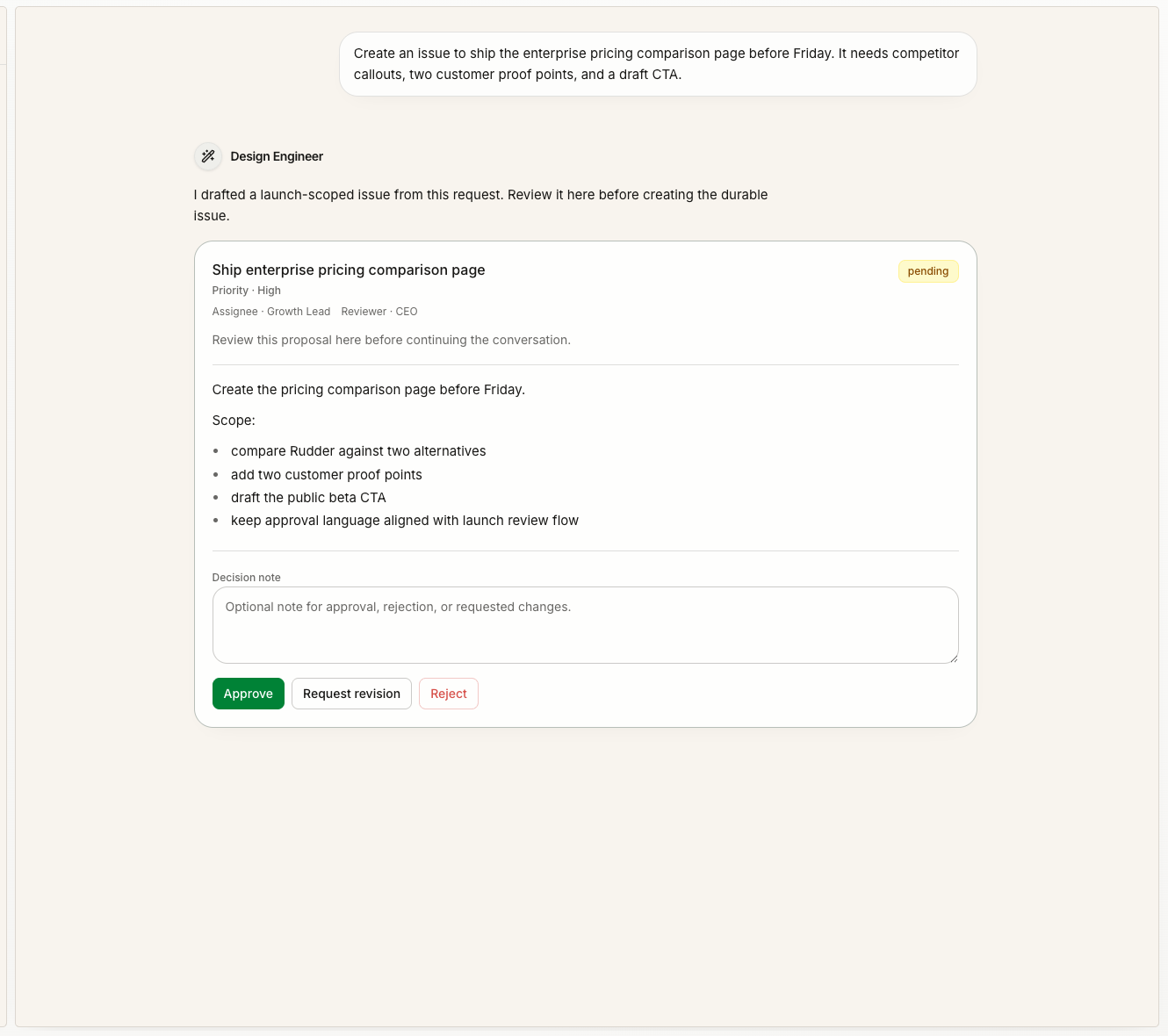
The operator asks for a Codex-like interaction where the assistant can ask one to three structured questions before continuing. The product decision is specific: use one persisted kind,ask_user, not two competing names such as ask_user and user_input_request.
- Start in
backlogwhile the product contract is being decided: payload shape, active unanswered state, history display, and non-goals. - Move to
todowhen the acceptance criteria are concrete enough for implementation. - Assign one engineering agent because schema, server parsing, and UI rendering need to land coherently.
- Add a human reviewer because the issue defines user-facing interaction behavior, not only code plumbing.
- Move to
in_reviewwhen the active panel, answered history state, and follow-up assistant turn are visible. - Do not close until the reviewer accepts the UX: the component should appear only when a blocking decision is missing, not for every casual clarification.
Use case: docs site remediation with screenshots
The request is to build a public docs site with bilingual navigation, use-case-led explanations, and product screenshots. Treat this as a parent issue, not one giant assignee-owned task.- Keep the parent issue focused on the outcome: “ship public Rudder docs that explain why and how to use the product.”
- Create sub-issues for independent work:
- content structure and bilingual docs
- English product screenshots
- navigation and next-step links
- visual QA and broken-link validation
- Assign each sub-issue to one owner. Do not put writer, screenshot producer, and QA reviewer on the same issue as co-assignees.
- Add reviewers where judgment matters: public positioning, screenshot quality, and Mintlify navigation.
- Use
in_reviewfor the parent only after the child issues have close-out evidence. - Close the parent when the final docs preview, screenshots, validation commands, and remaining risks are all linked back to it.
Use case: Windows installation smoke test
The issue says: “Test thenpx install command on Windows with Claude Code.” This is concrete, but it should not be auto-assigned to a local macOS agent.
- Put it in
todoif the test command and expected result are known. - Assign it to a human or a Windows-capable agent only when that owner actually has the environment.
- Leave it unassigned or human-owned if no suitable runtime is available.
- Move to
blockedif the missing piece is access to a Windows machine, credentials, or installer artifact. - Close with evidence: terminal output, OS version, command used, failure screenshot if any, and whether the docs command needs to change.
Close-out checklist
Before marking an issuedone, confirm:
- the output is visible from the issue
- validation evidence is included
- the reviewer decision is recorded when a reviewer exists
- remaining risks are named
- follow-up work is either created or explicitly rejected
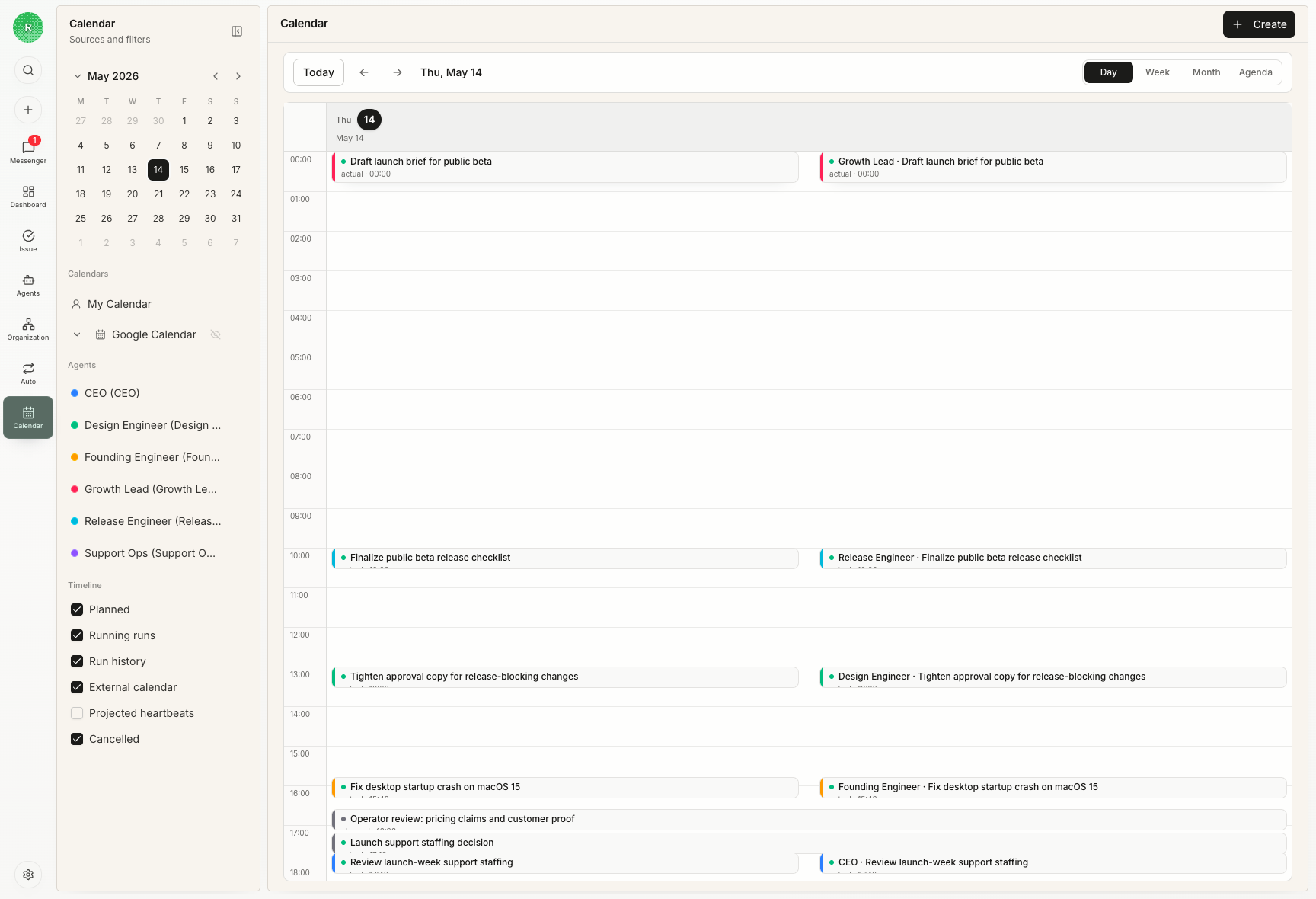
- Calendar and activity history point back to real work, not an orphaned conversation
Next steps
Issues
Read the concept model for durable work objects.
Chat and Messenger
Learn how intake and attention recovery feed issue work.
Calendar
Inspect how the issue work filled time.