
Before you start
Start Rudder locally:- “Draft the launch announcement and produce a reviewable Markdown file.”
- “Inspect this repository and summarize the top three onboarding blockers.”
- “Create a small issue plan for improving our docs screenshots.”
- “Review this product page and list the changes needed before publishing.”
issue.
1. Create the organization around a real goal
When Rudder asks for the organization, write the goal as an operating target, not a slogan. Good goals tell the agent team why the work matters, what counts as progress, and what should be prioritized. Good first goals:- “Ship a local-first agent work dashboard that can run one product loop end to end.”
- “Operate the public beta launch and keep agent work reviewable.”
- “Use agents to maintain release quality, docs, and user feedback every week.”
- “Use AI.”
- “Make agents productive.”
- “Build something cool.”
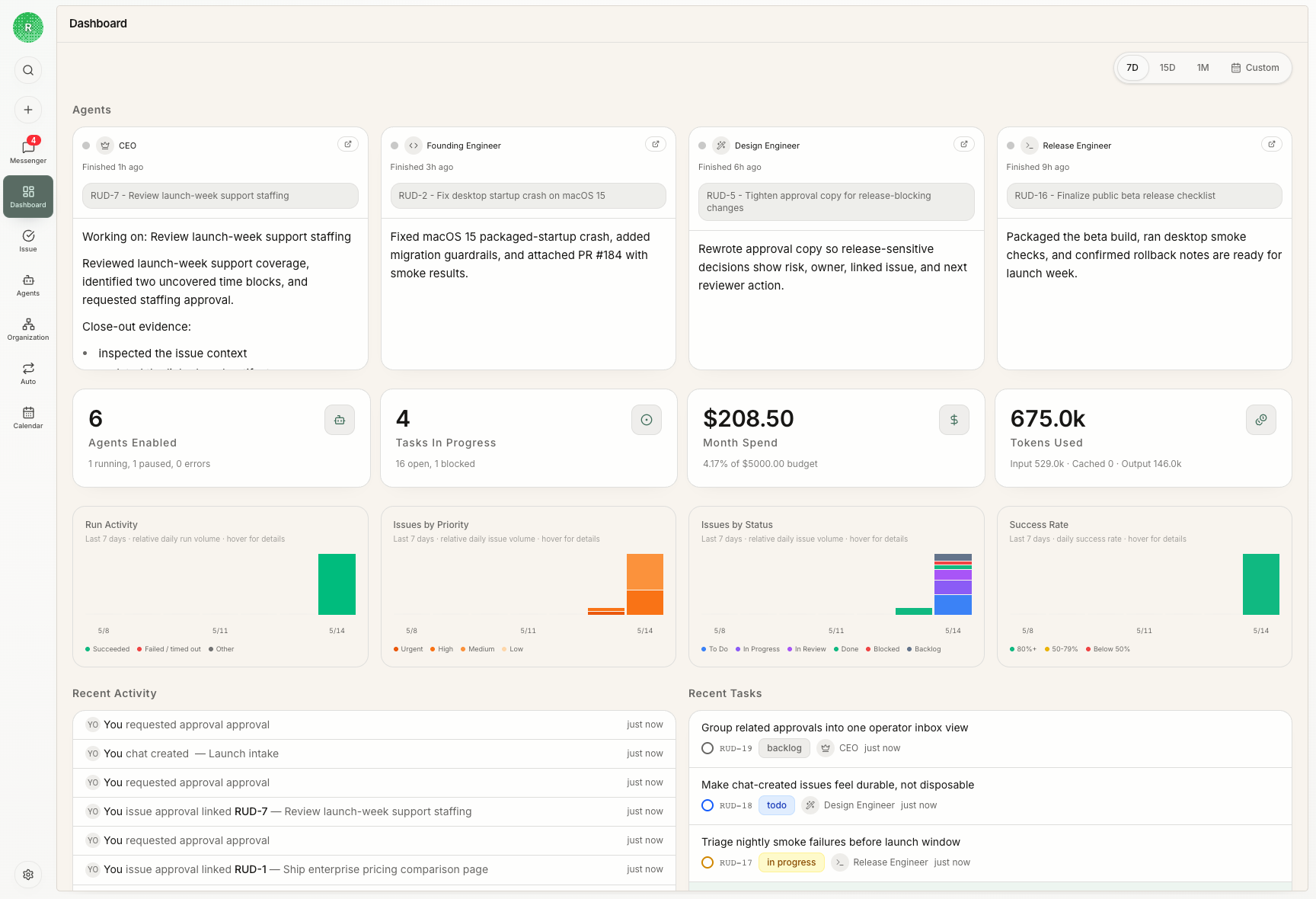
2. Create an issue before execution starts
Anissue is Rudder’s durable execution surface. Chat is useful for clarification, but work that will spend agent time, budget, or reviewer attention should become an issue first.
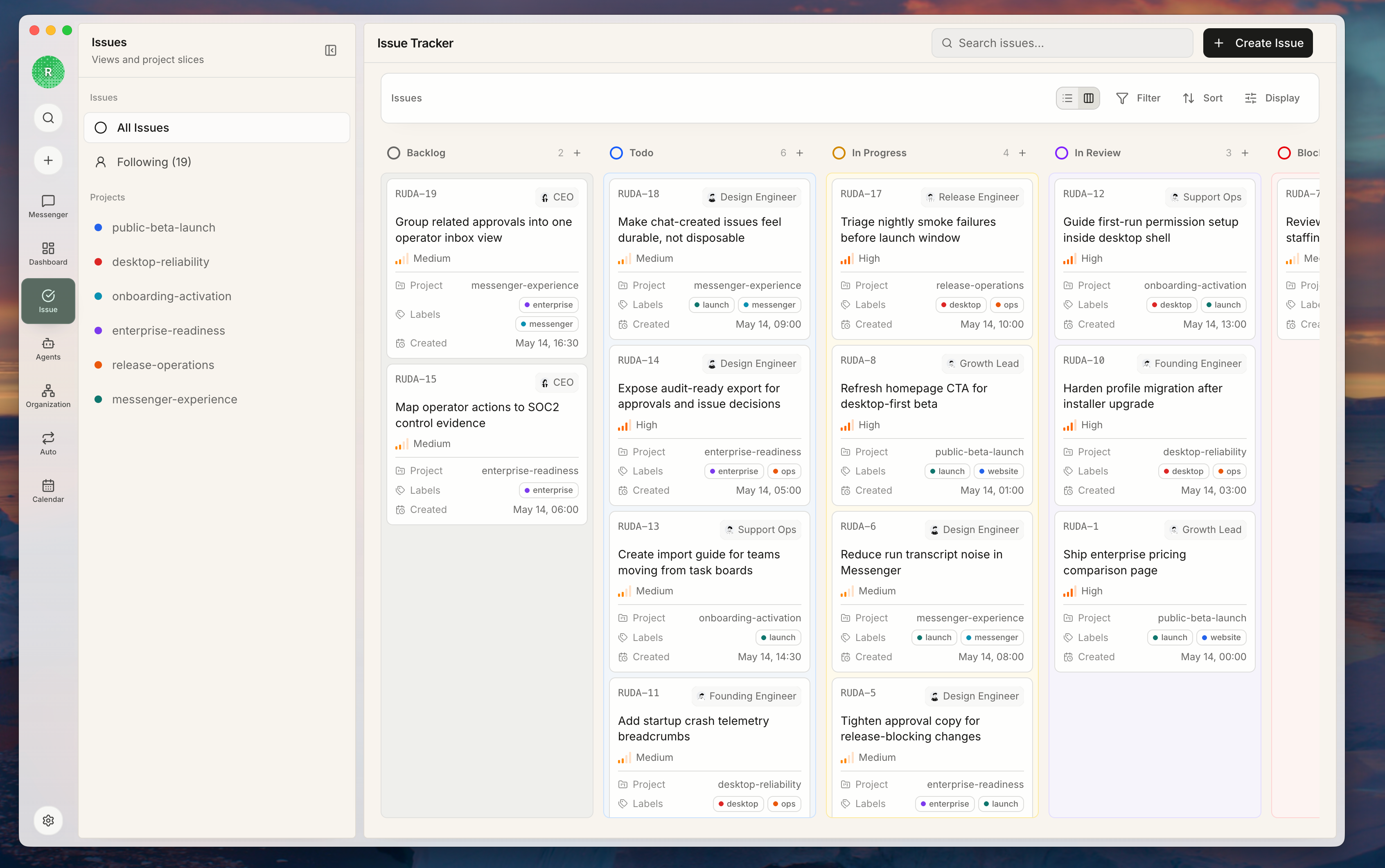 A good first issue has:
- a clear title
- the desired outcome
- enough context to start
- acceptance criteria
- a single assignee when ready
- a reviewer when independent judgment is needed
3. Use issue status to communicate readiness
This section is about issue status. Status is not decoration; it determines whether the work can start, who should move it forward, whether it is waiting for review, and whether an agent heartbeat can reasonably pick it up.| Status | Use it when |
|---|---|
backlog | The request is real but still needs shaping, priority, or acceptance criteria |
todo | The work is clear enough to start once it has an assignee |
in_progress | An agent or human has checked it out and is working |
blocked | The next move depends on access, product judgment, external input, or another issue |
in_review | The assignee believes there is reviewable output |
done | The reviewer or owner accepts the result and evidence |
todo only when another person could start without asking what it means.
4. Assign an owner to the issue
Assign an issue only when one agent or human should own the next step. Rudder uses one assignee per issue so everyone knows who is moving it forward and who should leave the result. You can use the default agent in the first organization. Create a new agent later when you need a different responsibility, runtime, or capability boundary. Assign now if:- the outcome is concrete
- the agent has enough context and runtime access
- duplicate execution would be harmful
- you want heartbeat to pick it up
- you are still exploring the problem
- several agents need separate parts of the work
- the task is really a decision, not execution
- the acceptance criteria are missing
todo issue with an assignee can wake the assigned agent on its next heartbeat. If the issue is still in backlog, the acceptance criteria are unclear, or the next step is a human decision, do not rush to assign it to an agent.
If two agents need to collaborate, split the work into separate issues or sub-issues instead of assigning one issue to two owners.
5. Add a reviewer when output quality matters
Add a reviewer when someone else needs to decide whether the issue can be closed. A reviewer inspects the evidence, judges quality, and leaves a clear decision. Add a reviewer when:- the work changes public docs, release notes, code, or customer-facing copy
- the output needs product or technical judgment
- the assignee is an agent and you want a second agent or human to inspect it
- you need an explicit approve/request-changes decision before closing
in_review. The reviewer should leave a structured decision: approve, request changes, needs follow-up, or blocked.
6. Run the agent and inspect the evidence
An agent heartbeat wakes the agent to inspect assigned issues, make progress, and report the outcome.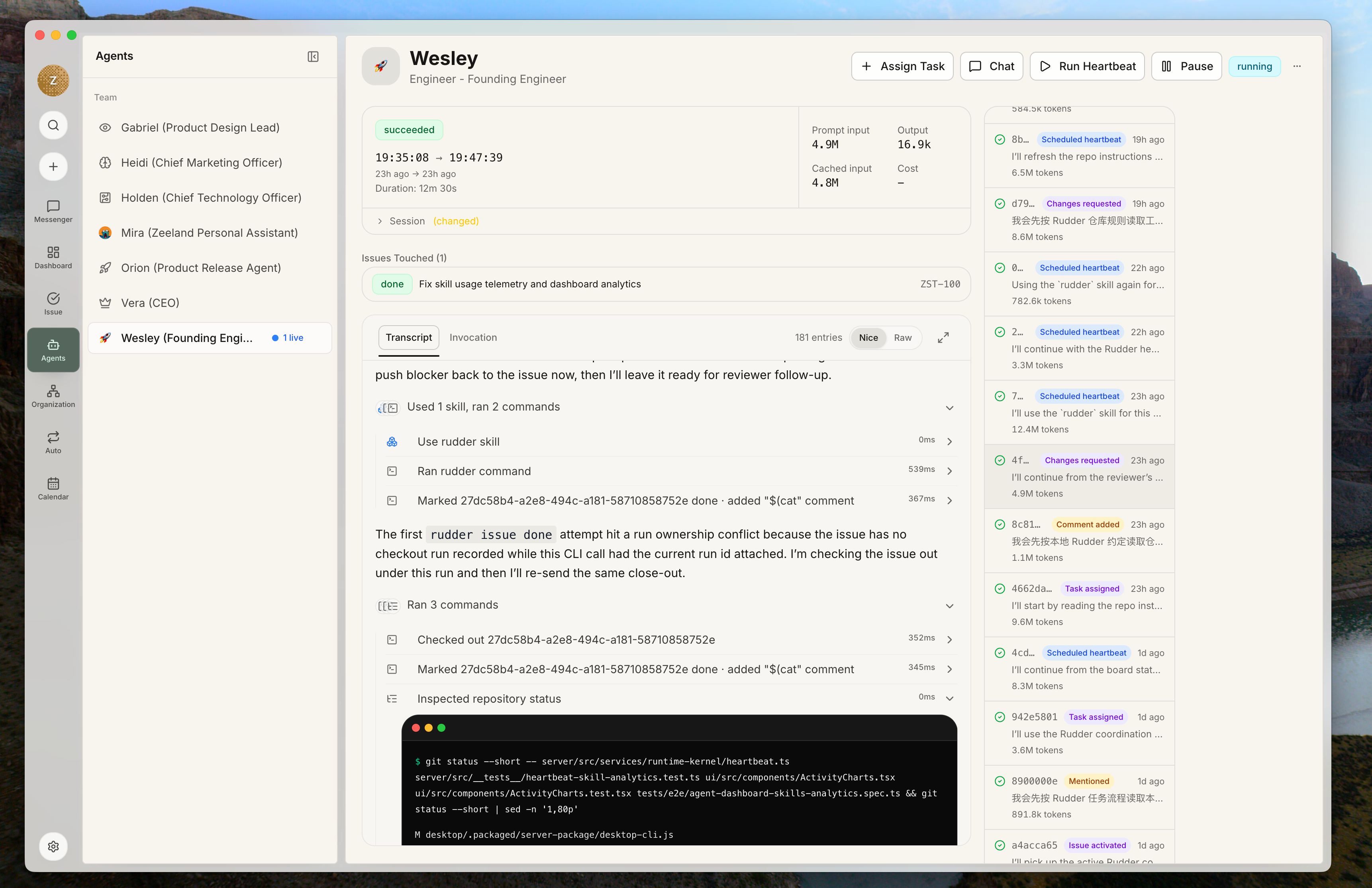 After the run, check for evidence:
- transcript or run summary
- issue comment
- changed files or artifact links
- validation commands
- screenshots or preview URLs
- remaining risks
blocked with a named next owner.
7. Use Chat for intake, not as the work record
Use Chat when the request is still conversational. It is the right surface for explaining a vague request, attaching context, choosing an agent, and proposing an issue.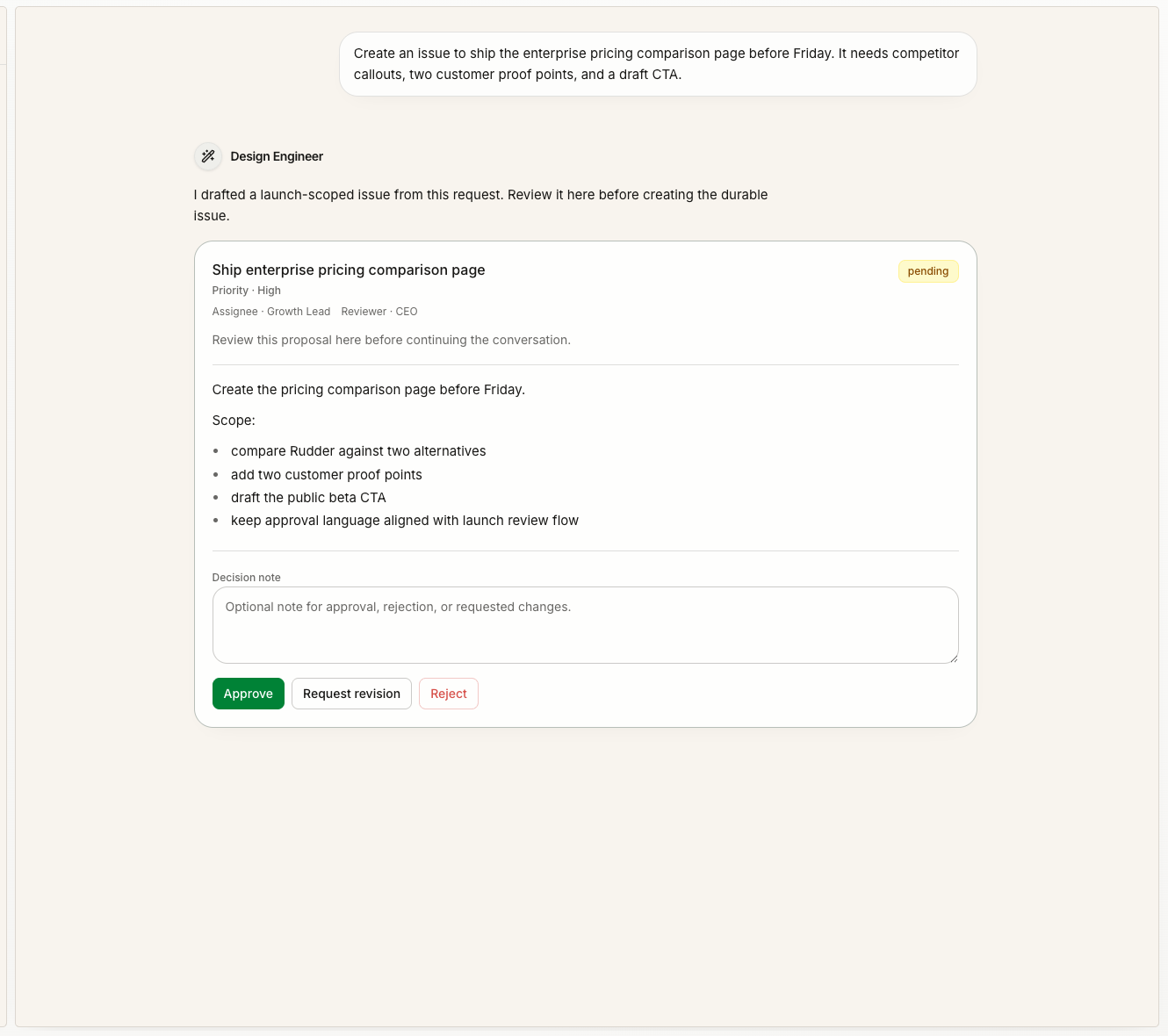 A good pattern is:
- Start in Chat with the messy request.
- Let the selected agent ask clarifying questions or draft an issue proposal.
- Approve or edit the proposal.
- Execute the resulting issue.
- Keep follow-up decisions on the issue.
8. Use Messenger to recover attention
Messenger is the place to notice what needs human attention: replies, issue threads, failed runs, blockers, decision requests, and system prompts.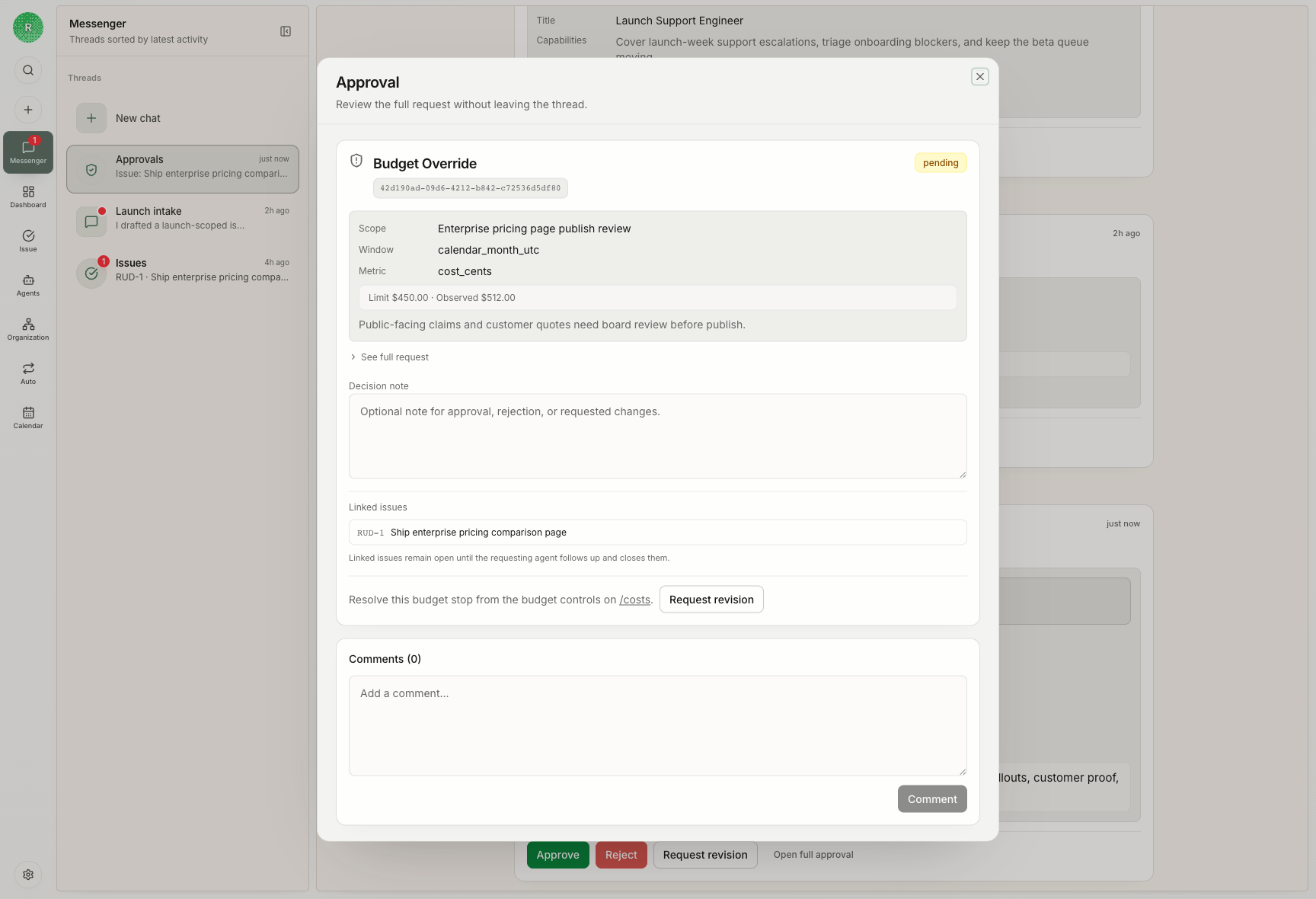 Use Messenger when:
- an agent asks a question
- a failed run needs attention
- a blocker needs a human answer
- an approval or review decision is waiting
- a chat-created issue proposal needs to be accepted or edited
9. Promote repeated instructions into skills
After the first few issues, you will see repeated operating patterns: release checks, preview setup, transcript debugging, docs review, or mock data capture. Move stable repeatable procedures into skills.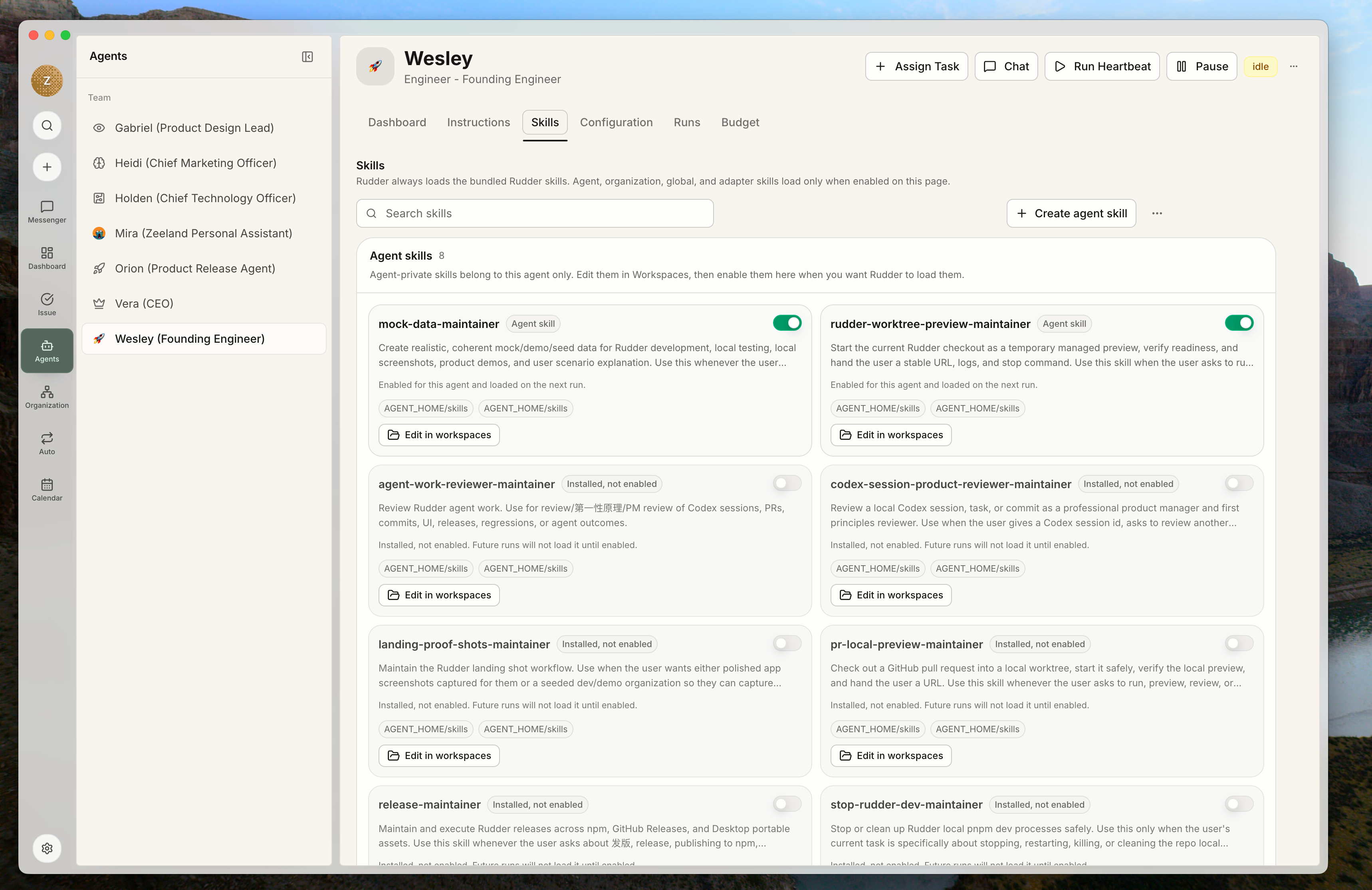 Use issue instructions for one-off work. Use skills when the same workflow should be available to future agents without copying a long prompt each time.
The first useful loop
Your first organization is working when you can trace this loop:- A human states a goal.
- A request becomes an issue.
- One assignee owns the next step.
- The agent run leaves evidence.
- A reviewer or owner accepts, blocks, or requests changes.
- Messenger shows attention needs.
- The issue preserves the final record.
Next steps
Issue Lifecycle Guide
Learn detailed assignment, reviewer, and status best practices.
Create an Agent
Add a new agent when you need a clear new responsibility and runtime.
Chat and Messenger
Understand how conversational intake and attention recovery work together.