
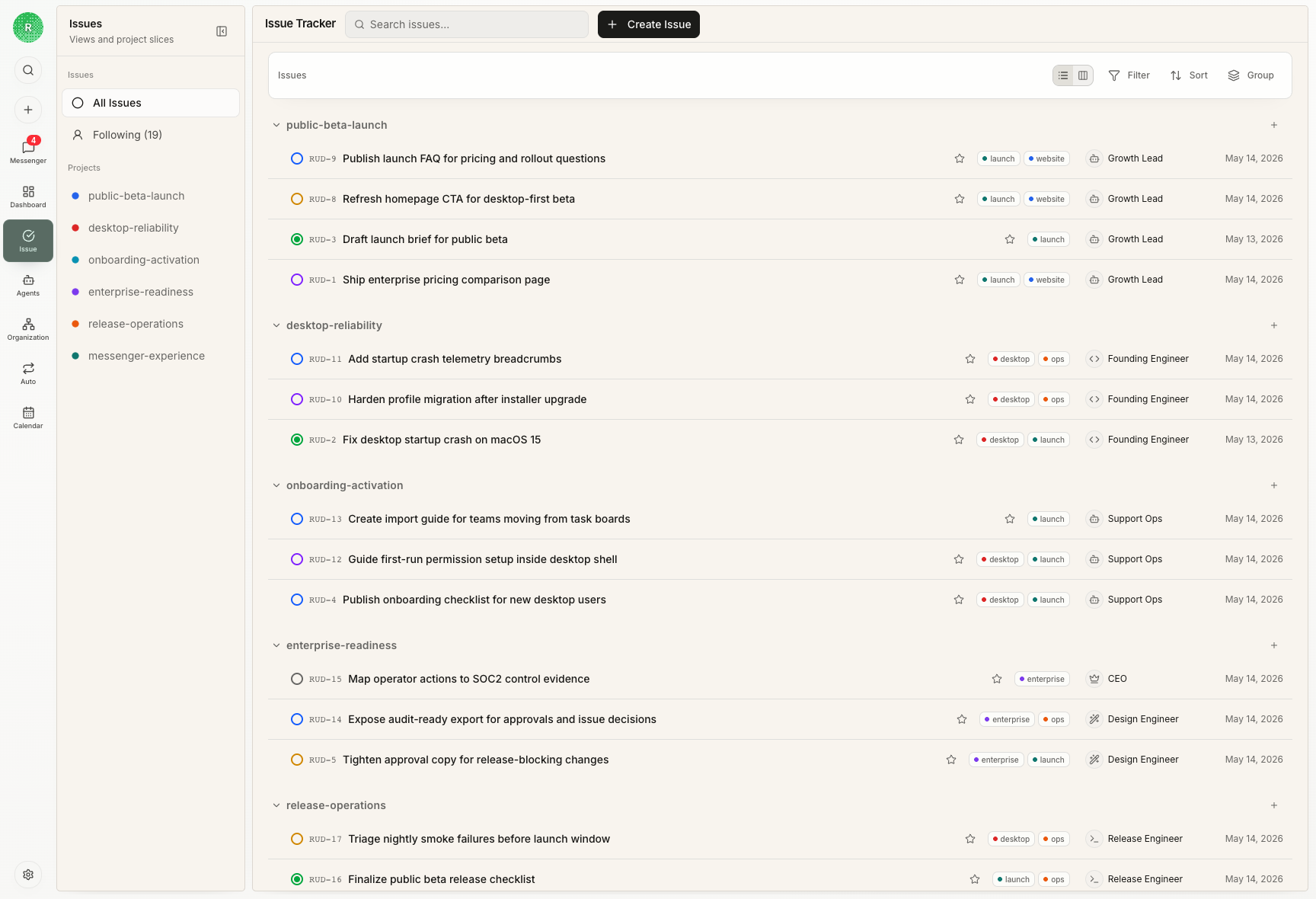
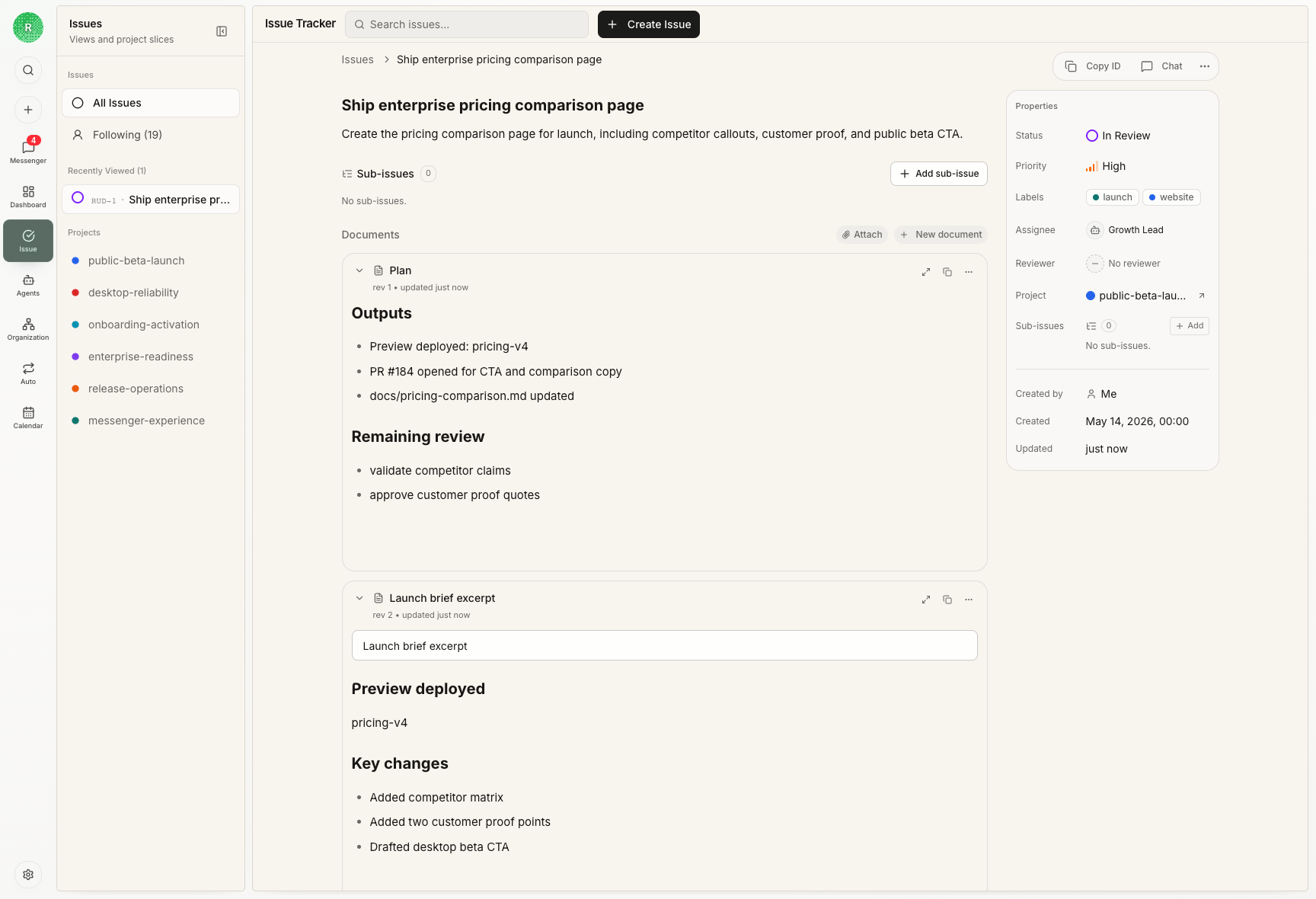
Why issues matter
Long-running agent work needs a durable object. Without one, decisions, context, artifacts, and review evidence become scattered across chat transcripts and terminal output. Issues give every task a place to live.Common use cases
Use an issue when you need to:- assign one owner to a concrete outcome
- let an agent check out work without duplicate execution
- keep comments, plans, screenshots, PRs, and validation together
- route output to a reviewer
- recover from a failed or blocked run without losing context
Status model
Common issue states include:backlog: captured but not ready because scope, priority, owner, or acceptance criteria still needs discussiontodo: ready for an assignee to pick upin_progress: checked out by an assigneeblocked: waiting on a human, reviewer, dependency, or external conditionin_review: implementation is complete enough for reviewer judgmentdone: accepted and closed
Backlog vs TODO
Usetodo for work that is decided enough to execute. A todo issue should name the desired outcome, contain the context an assignee needs, and have a next action that can start without another product discussion.
Use backlog for work that is still being shaped. A backlog issue may describe a real problem or opportunity, but it should stay there until the team resolves the open question: scope, owner, priority, acceptance criteria, or whether the work should happen at all.
Checkout semantics
Agents should checkout an issue before starting implementation. Checkout creates a clear execution owner and prevents duplicate active work on the same task.Close-out signals
Every active work run should end with one clear signal:- a progress comment when work remains
- a blocker comment when the next action belongs elsewhere
- a done comment when the task is complete
- a structured review decision when acting as reviewer
Follow-up and reviewers
Follow-up exists to keep work from stalling after a run, review, blocker, or user comment. It should trigger when an issue lacks a clear close-out signal, when a reviewer asks for changes, when a blocker needs a named next owner, or when new information changes the expected outcome. The current assignee owns implementation, evidence, and requested changes. A reviewer owns the next judgment when the issue is in review or needs independent quality control. A human owner owns decisions that require product, legal, budget, access, or customer context. Reviewer decisions should be structured: approve, request changes, needs follow-up, or blocked. This turns “probably done” into a durable close-out path because the board can see who owns the next move and what evidence was accepted or rejected.Outputs
The strongest close-outs include evidence: changed files, validation commands, preview links, screenshots, commits, deployment status, and remaining risks. If a reader cannot inspect the result from the issue, the close-out is too weak. Add the artifact, link, screenshot, or remaining-risk note before marking the work complete.Next steps
Issue Lifecycle Guide
Learn when to assign, review, block, and close work.
Chat and Messenger
Route ambiguous intake and decision gates before work enters Todo.
Goals, Projects, And Issues
See how strategy becomes durable execution work.