
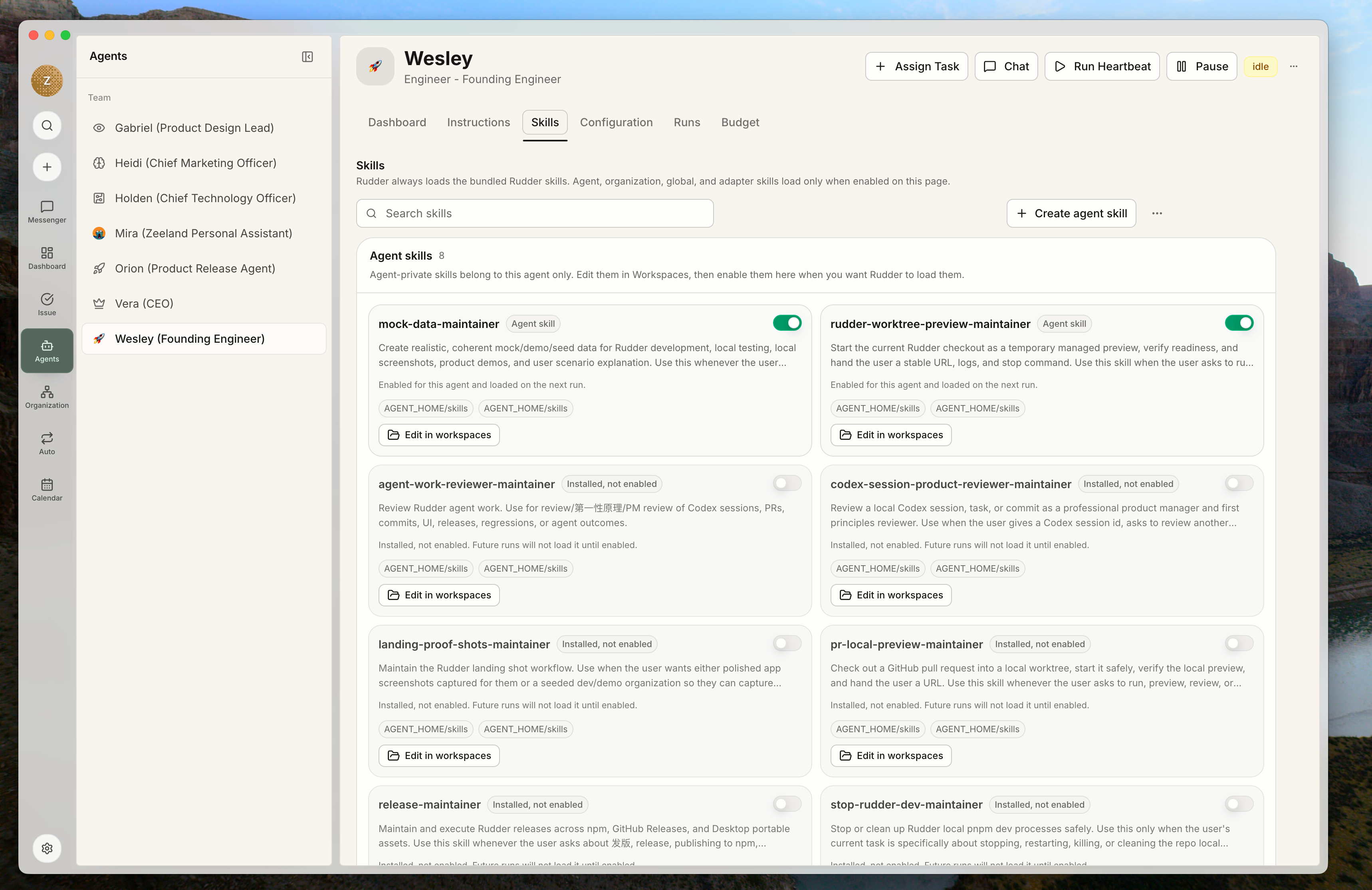
When to create a skill
Create a skill when the same workflow keeps appearing across issues or agents: release checks, preview setup, transcript debugging, mock data, memory maintenance, or other repeatable operating procedures. Keep one-off task instructions on the issue. Promote them into a skill only after the workflow is stable enough to reuse.What belongs in a skill
A skill should be narrow enough to be useful at the moment it is triggered. Typical examples include:- debugging a specific class of run transcript
- maintaining mock data
- running a preview server
- organizing memory files
Personal and organization skills
Personal skills live under an agent’s home directory. Organization skills live in the shared organization skills directory and can be enabled for agents. When promoting a personal skill for organization use, copy it into the organization skills directory and sync that shared path so future runs are not tied to one agent’s private copy.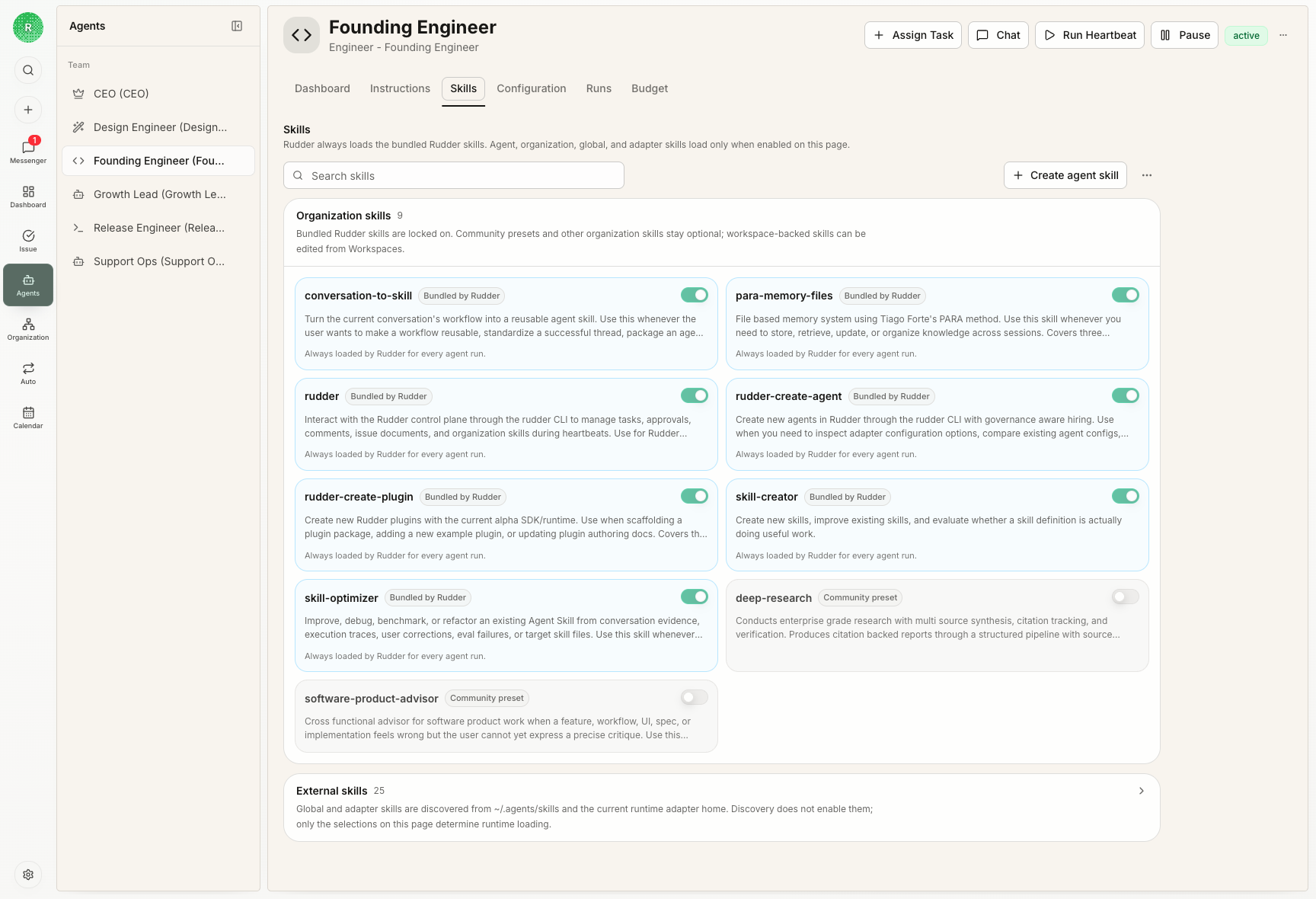 Agents can manage their own working memory and personal skills inside their agent home. Use personal skills for agent-specific habits, local notes, and workflows that are still being tested. Promote the skill to the organization library only when multiple agents should rely on the same instructions.
Skill loading
Runtime skill loading comes from the agent’s enabled-skills configuration in Rudder. Installing files on disk is not the same as enabling a skill for future runs. Rudder keeps skill selection on the agent’s own Skills page, not inside the adapter. Even when an agent runs through Codex, Claude Code, or another runtime adapter, the Rudder agent skills loaded for that run should come only from the skills enabled for that agent in Rudder. That boundary matters: the adapter hands Rudder’s run request to a concrete tool; Rudder decides the agent identity, issue context, workspace, and enabled skills. An adapter should not automatically load skills from its own environment in a way that overrides or bypasses the agent configuration in Rudder.Next steps
Agents
Enable skills on agents that need the workflow.
Workspaces
Keep shared inputs and outputs in predictable locations.